

What are Custom Nodes ?
Custom nodes are extensions for ComfyUI that add new functionality like advanced image processing, machine learning fine-tuning, color adjustments, and more. These community-developed nodes can significantly expand ComfyUI’s core capabilities. All custom node installations require completing these two steps:- Clone the node code to the
ComfyUI/custom_nodesdirectory - Install the required Python dependencies
Tip: Before installing custom nodes, check the plugin’s README file to understand installation methods, usage, and requirements like specific models, dependency versions, and common issue solutions.
Method 1: ComfyUI Manager (Recommended)
1
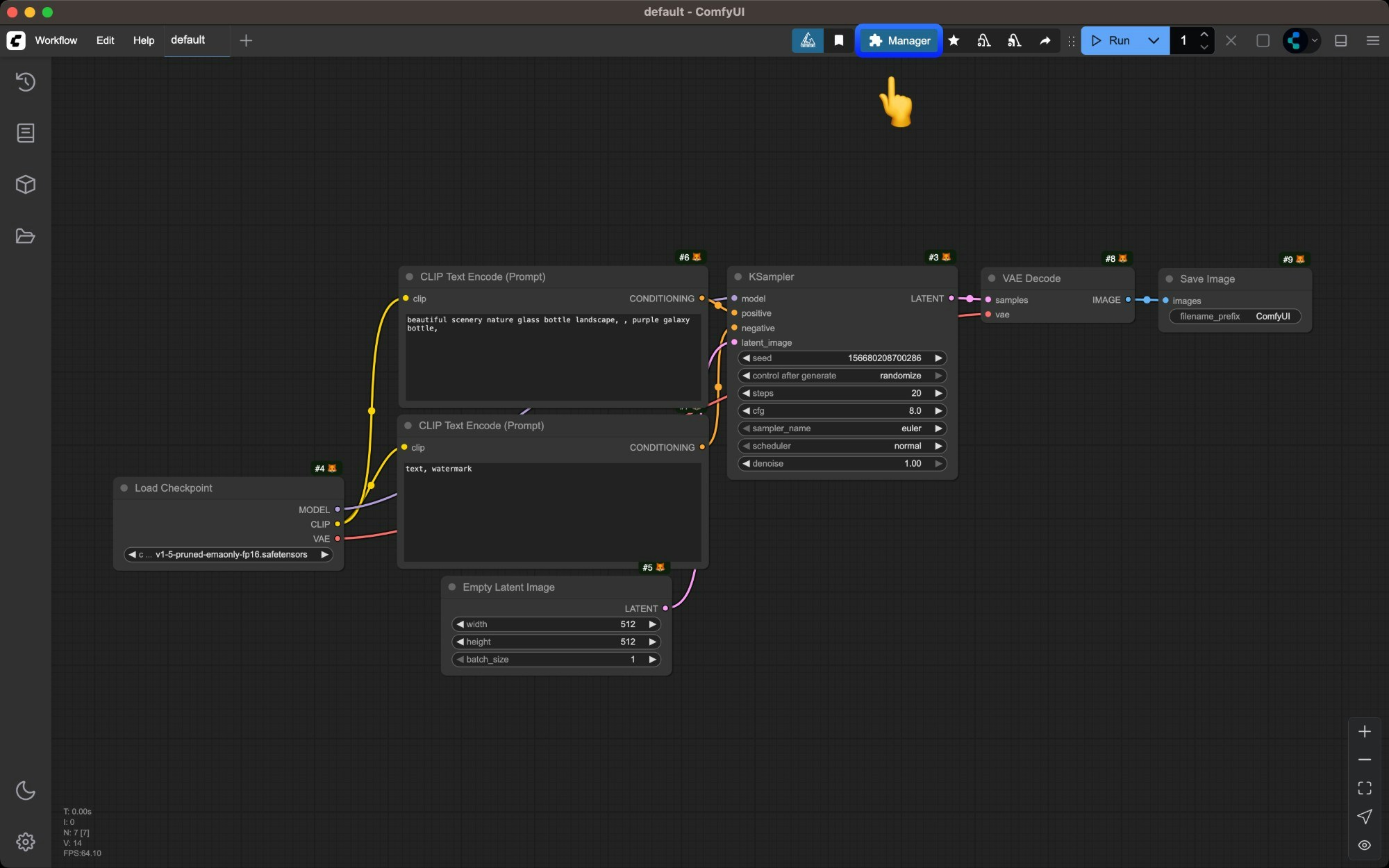
Click the `Manager` button in ComfyUI interface
2
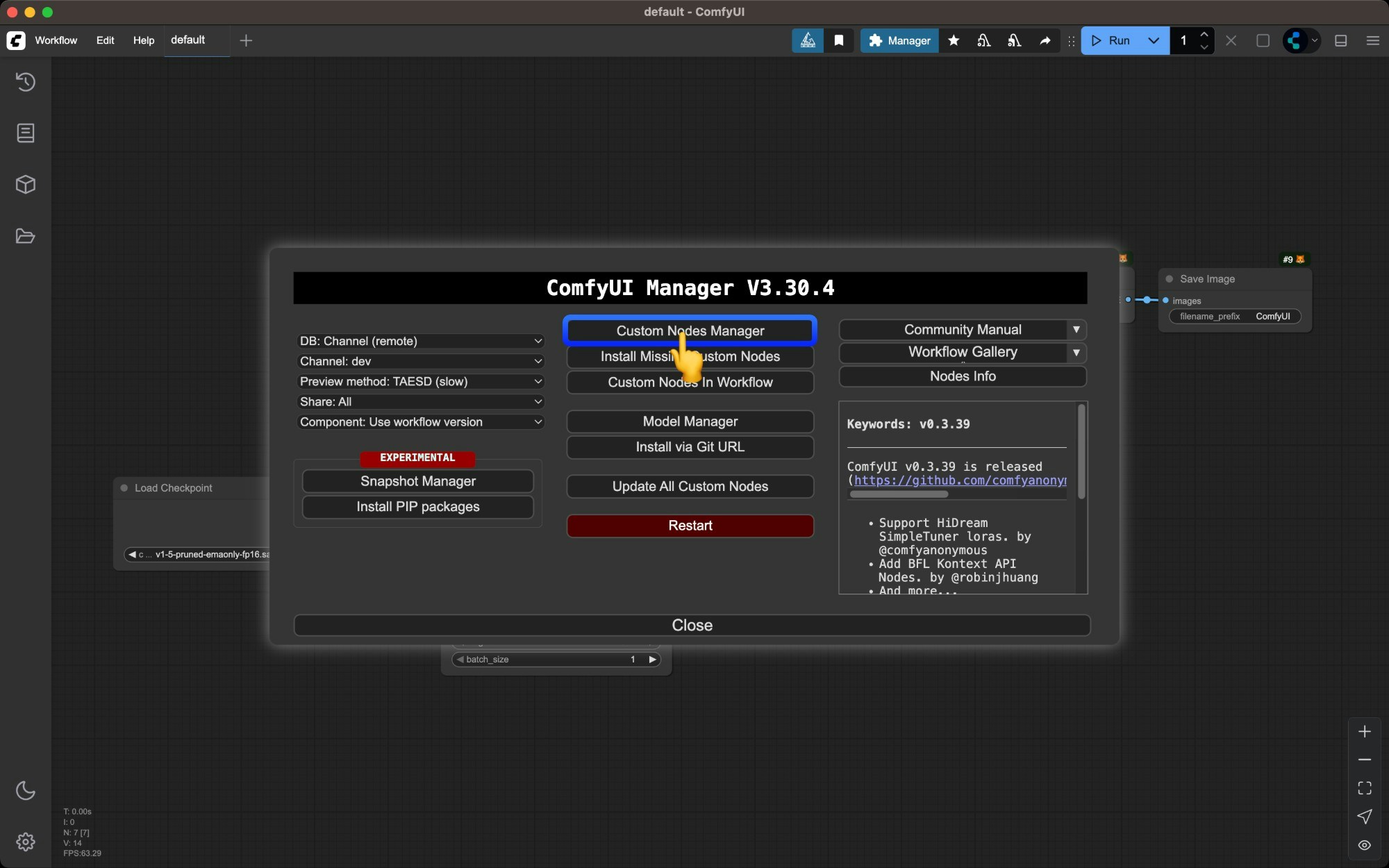
Select `Install Custom Nodes`
3
Browse the custom nodes list
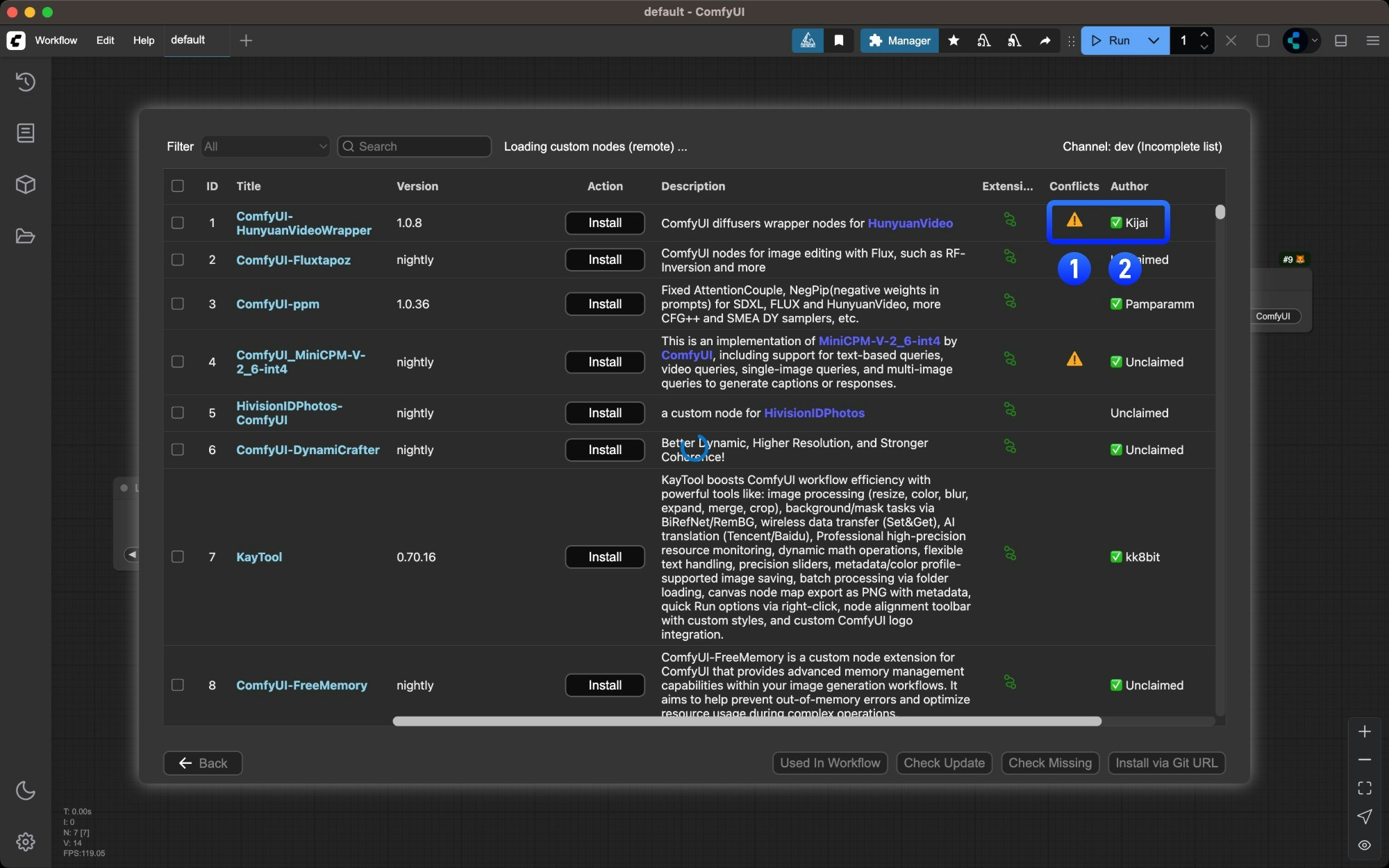
- Nodes marked with
⚠️may have dependency conflicts with other plugins - Author names marked with
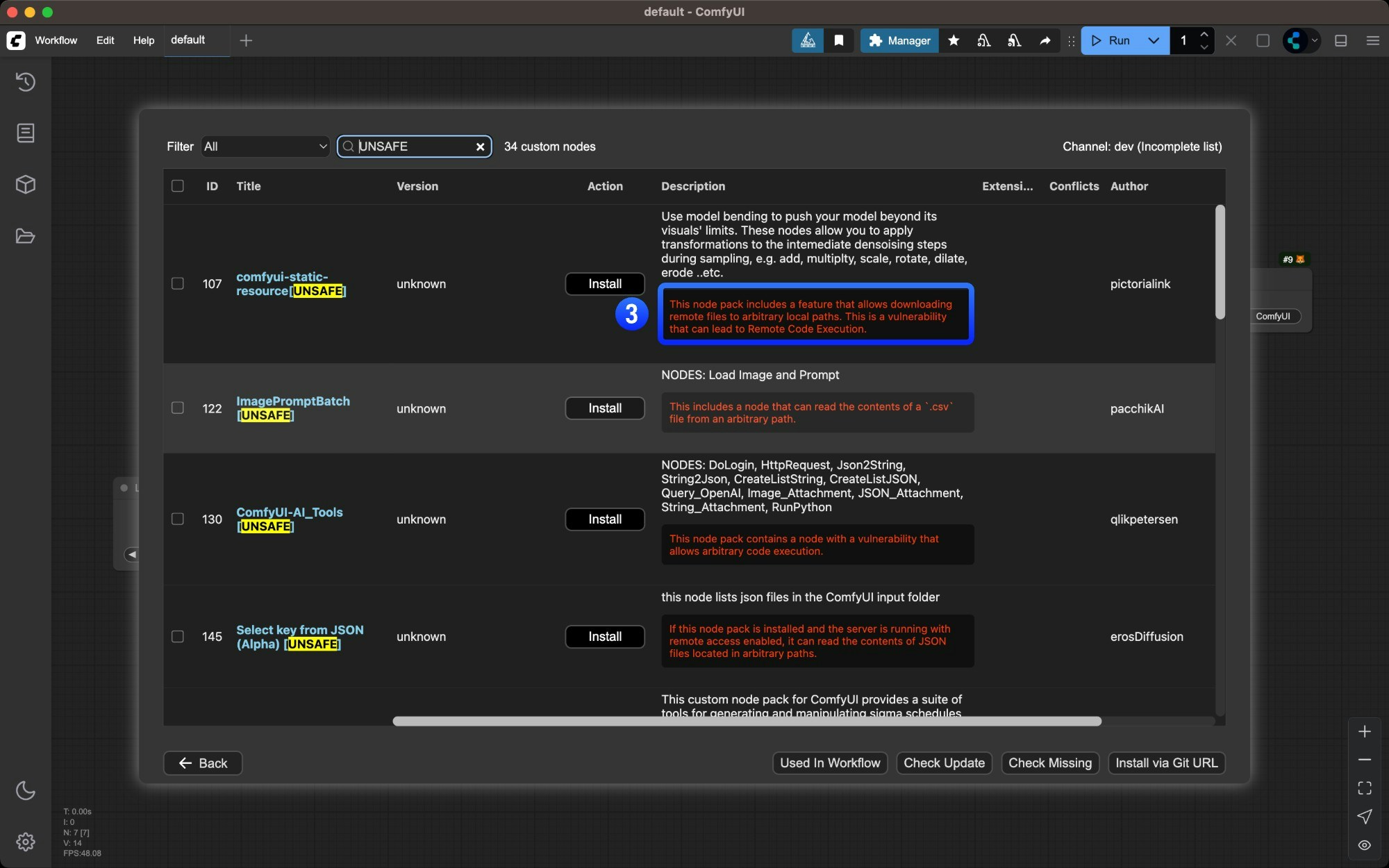
✅indicate their activity level on Github - Potential plugin risks are highlighted in red - ensure plugin safety before installing
4
Click the `Install` button for the desired node
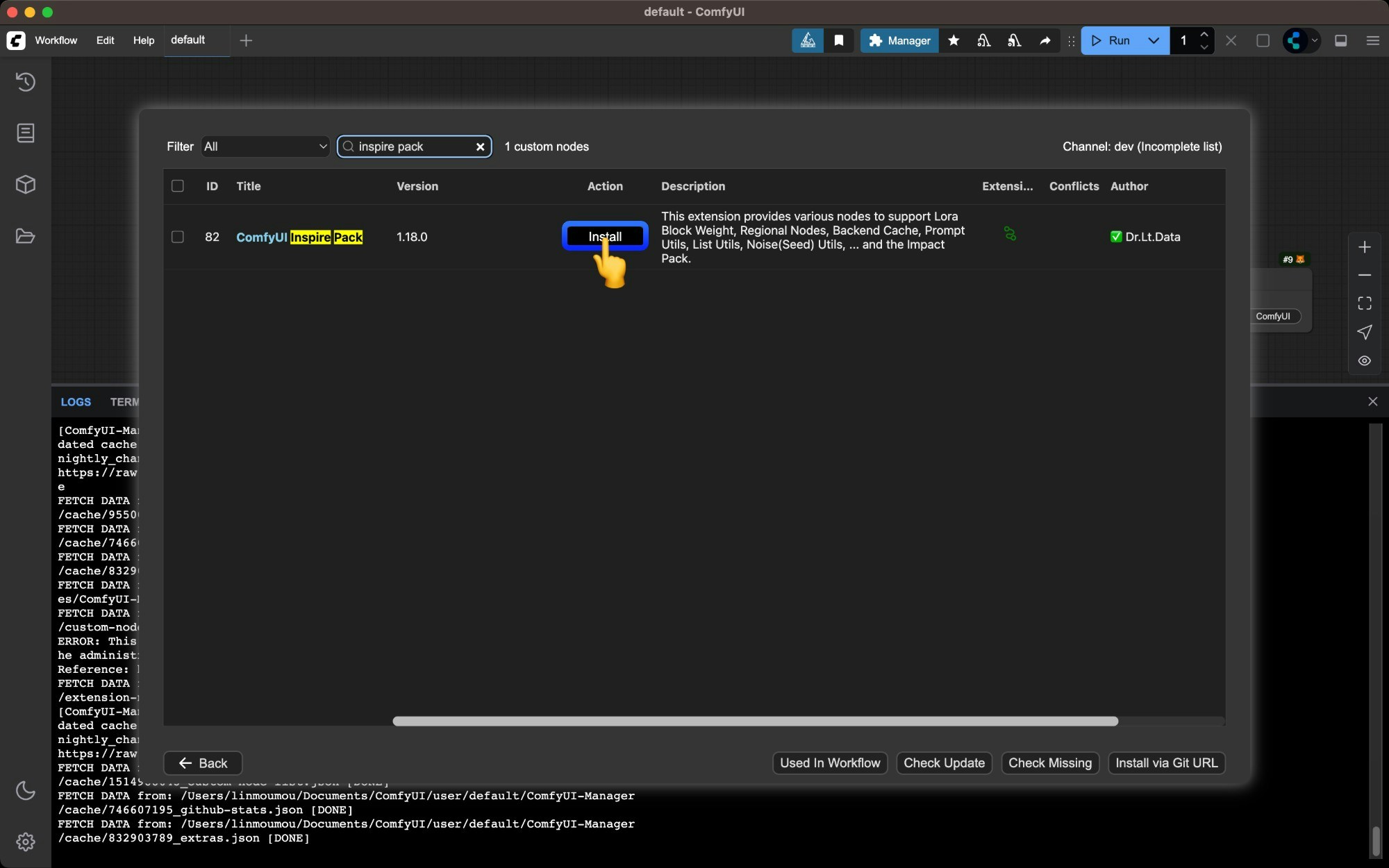
Install button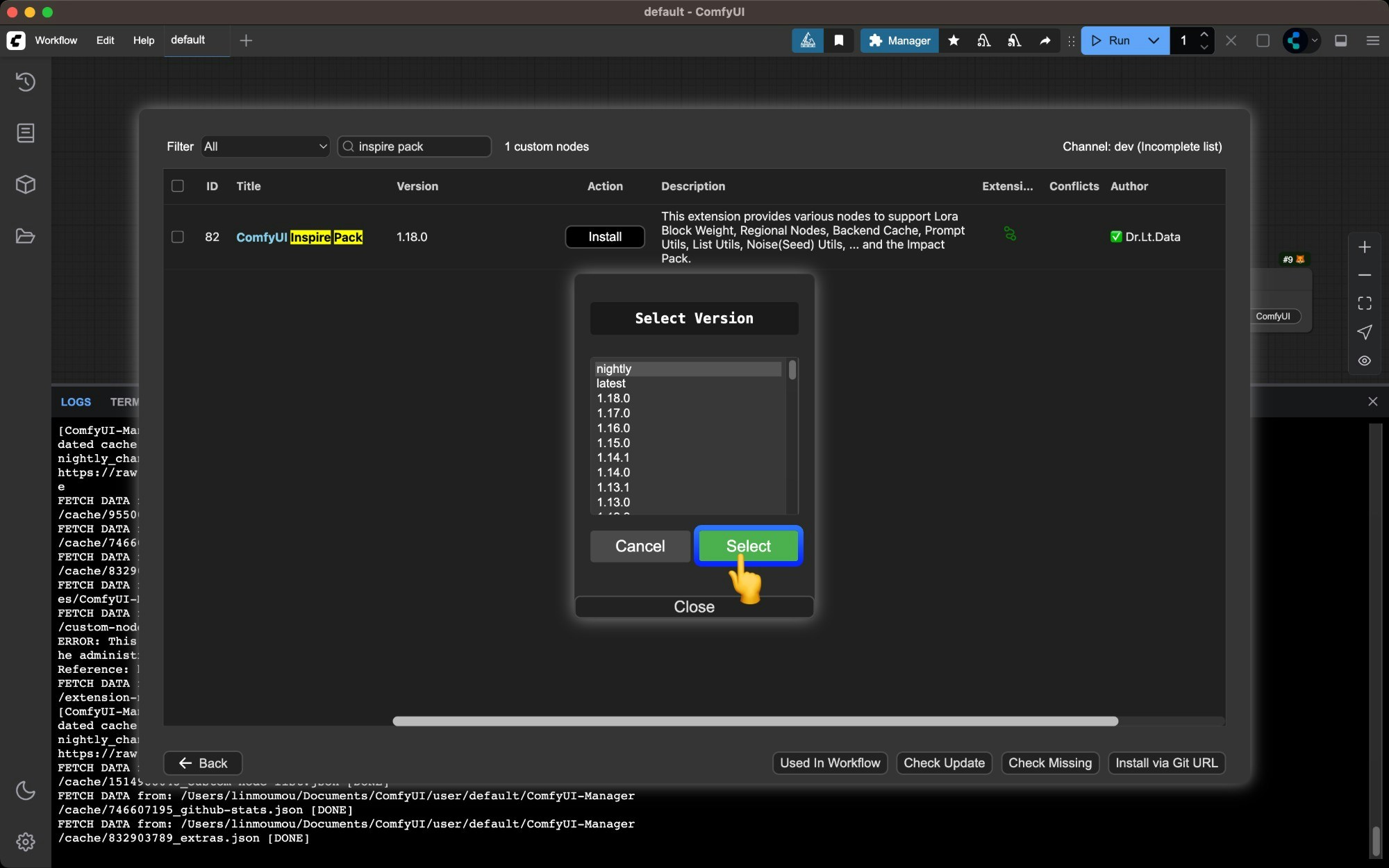
- 在这一步,如果你选择
nightly版本,这会从 Github 直接下载对应的插件源码最新版本,但同时如果你的 Managersecurity_level为normal将不允许你直接从 Github 下载源码,因为对应代码没有经过扫描 - 如果你选择了其它版本如
latest或者带有数字的稳定版本,对应的代码将会从 https://registry.comfy.org/ 进行下载,这意味着对应的代码经过审查,不会触发安全检查
5
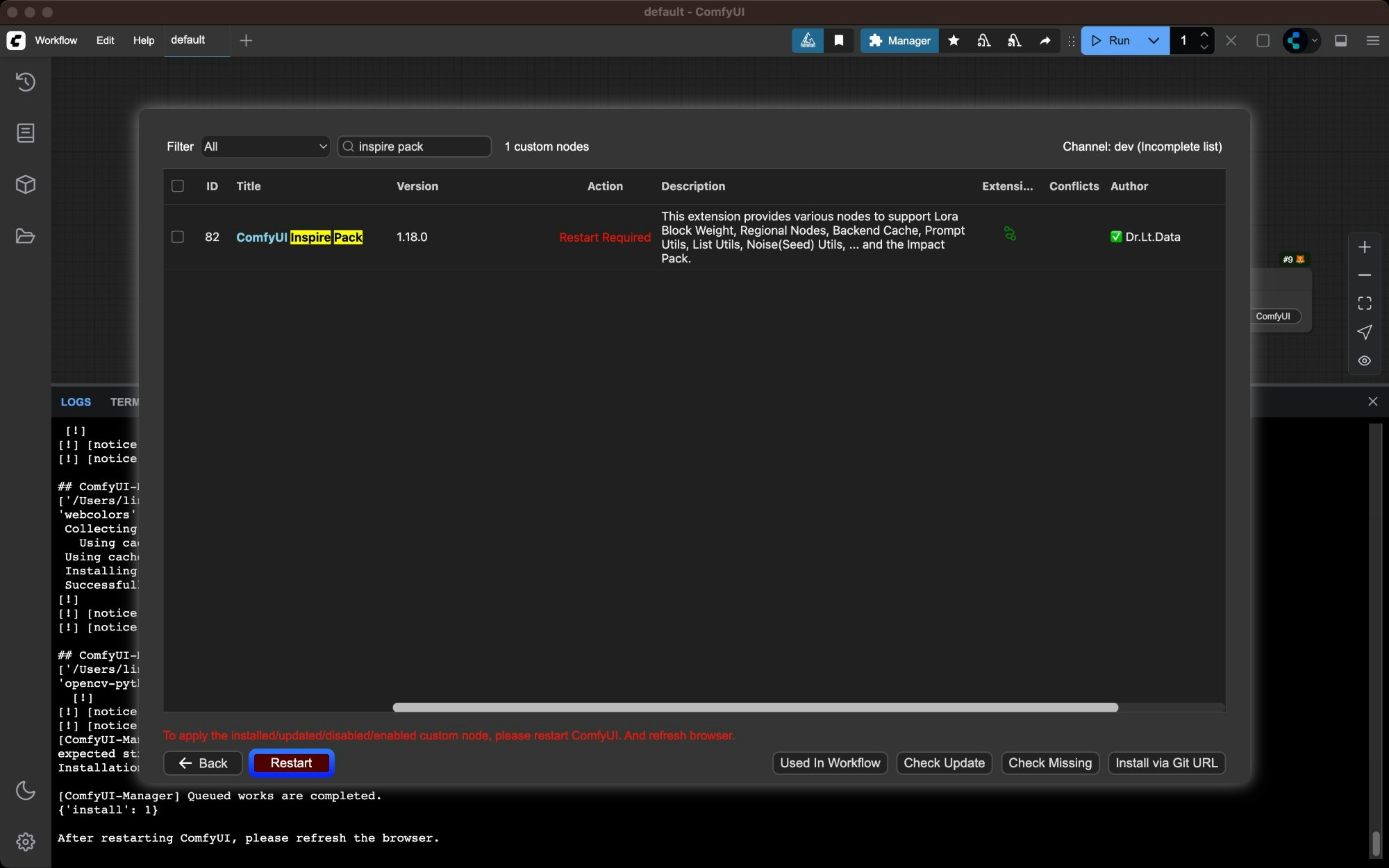
Wait for dependencies to install and restart ComfyUI
Manager will automatically install dependencies and prompt you to restart ComfyUI when complete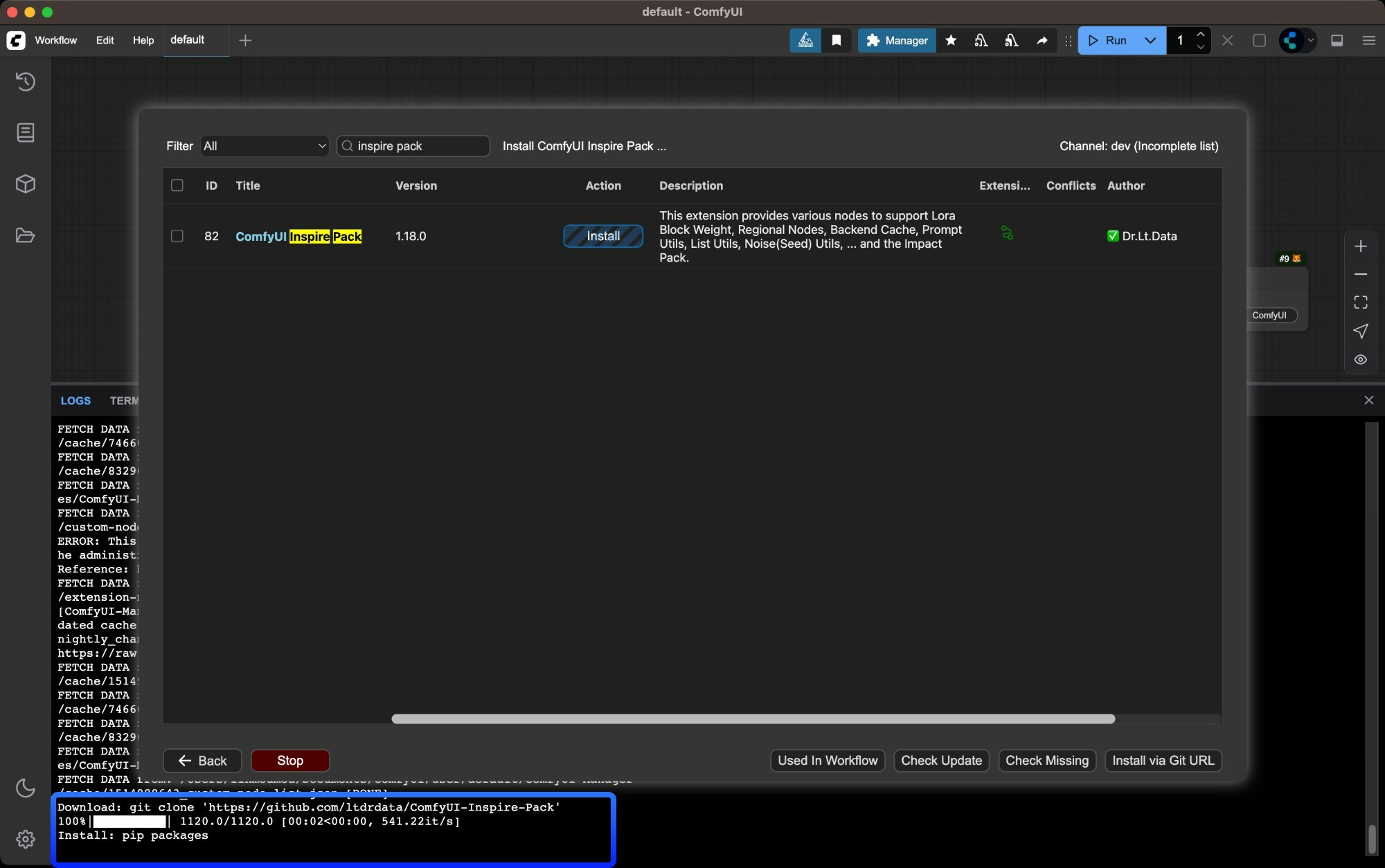
6
Verify successful installation
Check ComfyUI Manager after restart to confirm the plugin installed successfully and there are no 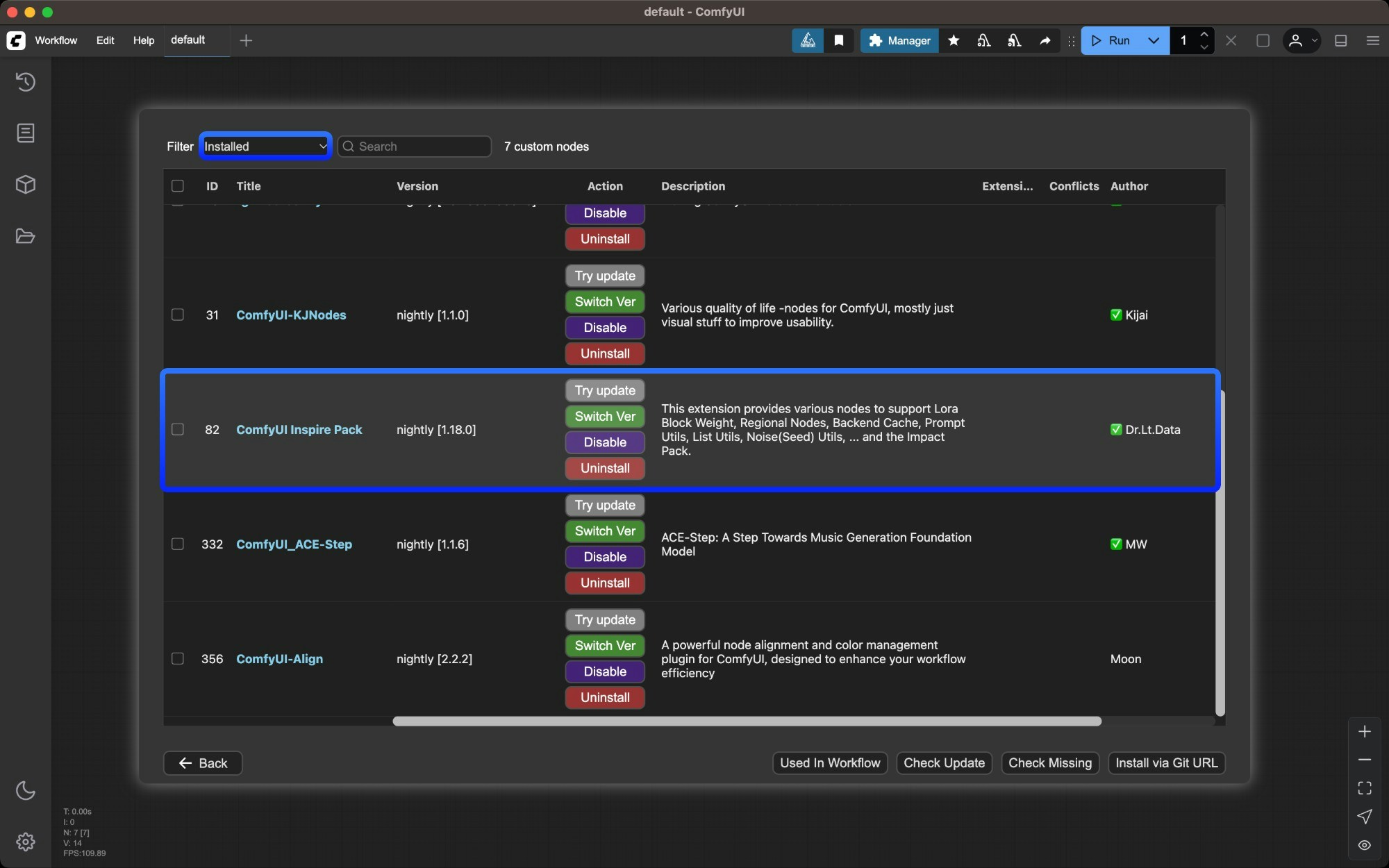
import failed errorsMethod 2: Manual Installation Using Git
Suitable for new nodes not found in Manager or when specific versions are needed. Requires Git installed on your system.1
Get the repository URL
Click the “Code” button on GitHub and copy the HTTPS link
2
Navigate to custom_nodes directory
3
Clone the repository
4
Install dependencies
Dependencies must be installed in your ComfyUI environment - be careful not to mix with your system environment to avoid contamination
- Windows Portable
- Manual Install
For Windows portable version, install dependencies in the embedded Python environment
5
Restart ComfyUI and refresh browser
Restart ComfyUI and refresh your browser. Check startup logs for any
import failed errorsMethod 3: ZIP Download Installation
Suitable for users who cannot use Git or Manager1
Click `Code` → `Download ZIP` on GitHub
Click 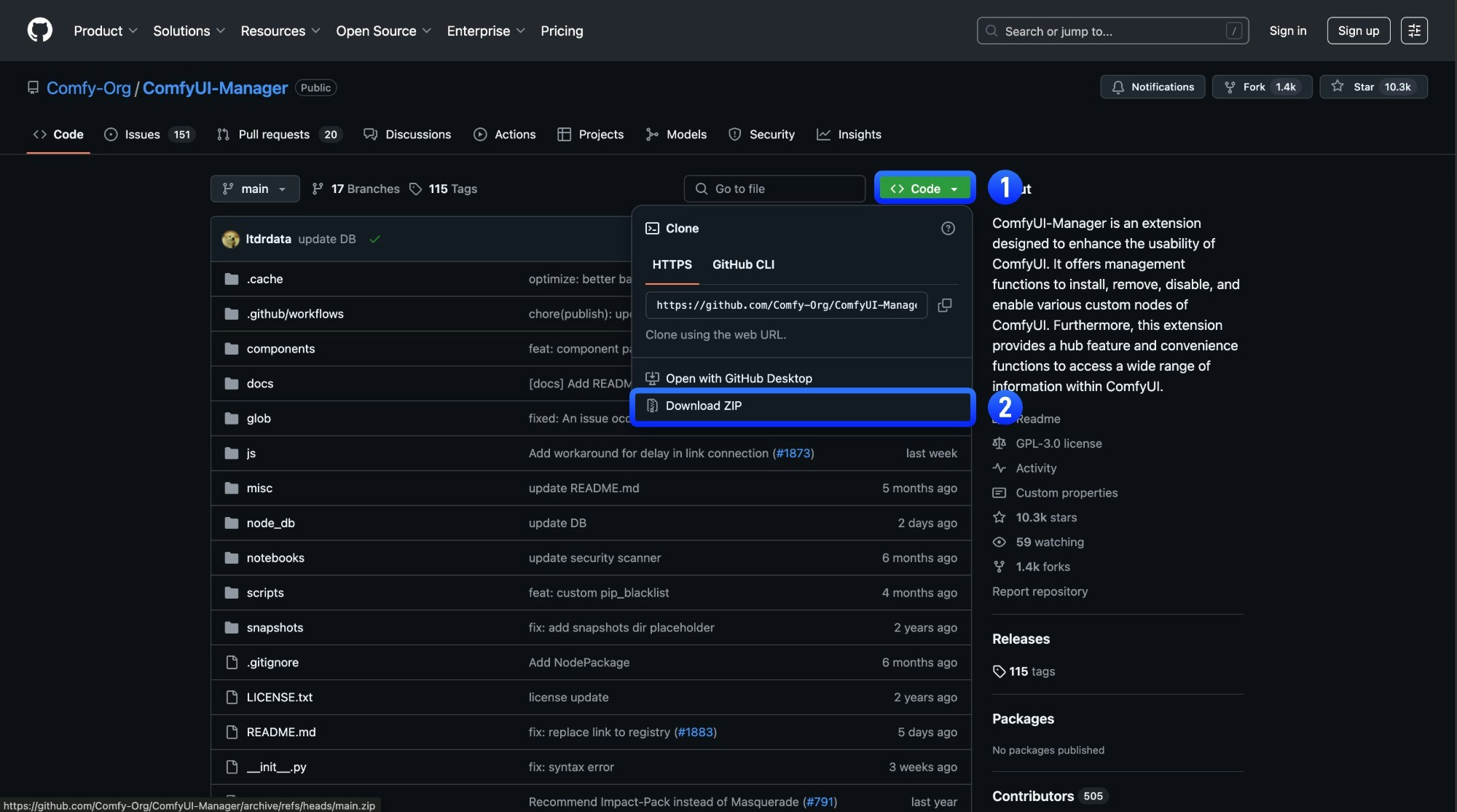
Code → Download ZIP on the GitHub page2
Extract the ZIP file
Extract the downloaded ZIP file
3
Copy extracted folder to `ComfyUI/custom_nodes/` directory
Copy the extracted folder to
ComfyUI/custom_nodes/ directory4
Install dependencies manually (same as Git method step 4)
Restart ComfyUI and refresh browser
5
Verify successful installation
Check ComfyUI Manager after restart to confirm the plugin installed successfully and there are no
import failed errors