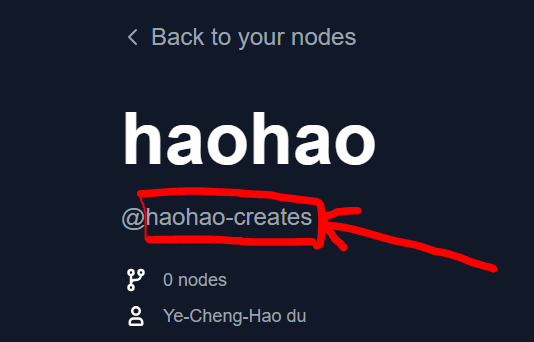
A publisher is an identity that can publish custom nodes to the registry. Every custom node needs to include a publisher identifier in the pyproject.toml file.Go to Comfy Registry, and create a publisher account. Your publisher id is globally unique, and cannot be changed later because it is used in the URL of your custom node.Your publisher id is found after the @ symbol on your profile page.
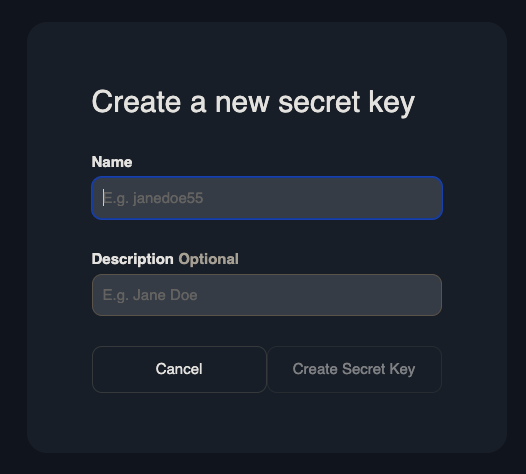
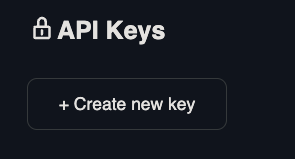
Go here and click on the publisher you want to create an API key for. This will be used to publish a custom node via the CLI.Name the API key and save it somewhere safe. If you lose it, you’ll have to create a new key.
This command will generate the following metadata:
Copy
Ask AI
# pyproject.toml[project]name = "" # Unique identifier for your node. Immutable after creation.description = ""version = "1.0.0" # Custom Node version. Must be semantically versioned.license = { file = "LICENSE.txt" }dependencies = [] # Filled in from requirements.txt[project.urls]Repository = "https://github.com/..."[tool.comfy]PublisherId = "" # TODO (fill in Publisher ID from Comfy Registry Website).DisplayName = "" # Display name for the Custom Node. Can be changed later.Icon = "https://example.com/icon.png" # SVG, PNG, JPG or GIF (MAX. 800x400px)
Add this file to your repository. Check the specifications for more information on the pyproject.toml file.
Run the command below to manually publish your node to the registry.
Copy
Ask AI
comfy node publish
You’ll be prompted for the API key.
Copy
Ask AI
API Key for publisher '<publisher id>': ****************************************************...Version 1.0.0 Published.See it here: https://registry.comfy.org/publisherId/your-node
Keep in mind that the API key is hidden by default.
When copy-pasting, your API key might have an additional \x16 at the back when using CTRL+V (for Windows), eg: ************************************************\x16.It is recommended to copy-paste your API key via right-clicking instead.
Automatically publish your node through github actions.
1
Set up a Github Secret
Go to Settings -> Secrets and Variables -> Actions -> Under Secrets Tab and Repository secrets -> New Repository Secret.Create a secret called REGISTRY_ACCESS_TOKEN and store your API key as the value.
2
Create a Github Action
Copy the code below and paste it here /.github/workflows/publish_action.yml
Copy
Ask AI
name: Publish to Comfy registryon: workflow_dispatch: push: branches: - main paths: - "pyproject.toml"jobs: publish-node: name: Publish Custom Node to registry runs-on: ubuntu-latest steps: - name: Check out code uses: actions/checkout@v4 - name: Publish Custom Node uses: Comfy-Org/publish-node-action@main with: personal_access_token: ${{ secrets.REGISTRY_ACCESS_TOKEN }} ## Add your own personal access token to your Github Repository secrets and reference it here.
If your working branch is named something besides main, such as master, add the name under the branches section.
3
Test the Github Action
Push an update to your pyproject.toml’s version number. You should see your updated node on the registry.
The github action will automatically run every time you push an update to your pyproject.toml file