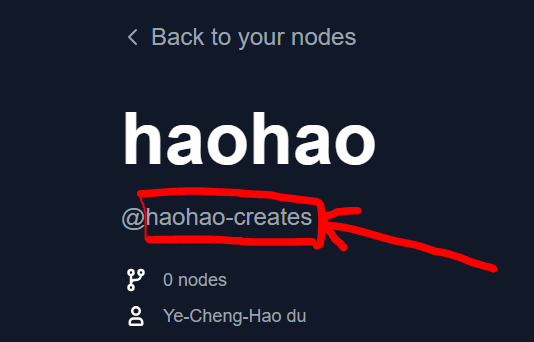
# pyproject.toml[project]name = "" # Unique identifier for your node. Immutable after creation.description = ""version = "1.0.0" # Custom Node version. Must be semantically versioned.license = { file = "LICENSE.txt" }dependencies = [] # Filled in from requirements.txt[project.urls]Repository = "https://github.com/..."[tool.comfy]PublisherId = "" # TODO (fill in Publisher ID from Comfy Registry Website).DisplayName = "" # Display name for the Custom Node. Can be changed later.Icon = "https://example.com/icon.png" # SVG, PNG, JPG or GIF (MAX. 800x400px)
API Key for publisher '<publisher id>': ****************************************************...Version 1.0.0 Published.See it here: https://registry.comfy.org/publisherId/your-node
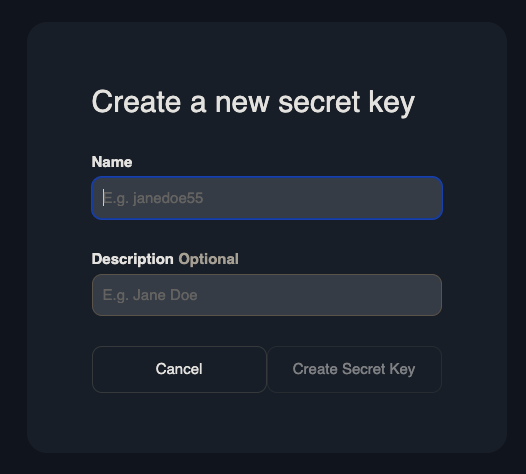
请记住,API 密钥默认是隐藏的。
当使用 CTRL+V 复制粘贴时,您的 API 密钥可能会有一个额外的 \x16 在后面,例如: ************************************************\x16。建议通过右键点击复制粘贴您的 API 密钥。
前往 Settings -> Secrets and Variables -> Actions -> Under Secrets Tab and Repository secrets -> New Repository Secret.创建一个名为 REGISTRY_ACCESS_TOKEN 的 secret 并存储您的 API 密钥作为值。
2
创建一个 Github Action
复制下面的代码并粘贴到 /.github/workflows/publish_action.yml
复制
询问AI
name: Publish to Comfy registryon: workflow_dispatch: push: branches: - main paths: - "pyproject.toml"jobs: publish-node: name: Publish Custom Node to registry runs-on: ubuntu-latest steps: - name: Check out code uses: actions/checkout@v4 - name: Publish Custom Node uses: Comfy-Org/publish-node-action@main with: personal_access_token: ${{ secrets.REGISTRY_ACCESS_TOKEN }} ## Add your own personal access token to your Github Repository secrets and reference it here.